
F1 25 (2026 Season Pack) Telemetry Tool and Race Analysis Features
PitStatus gives you a complete pit wall on your desktop to understand your driving and prepare every session in EA SPORTS F1 25 with the 2026 Season Pack.
Race Engineer
Compares two laps corner by corner and explains exactly where you lose time. It breaks down every corner into distinct phases and gives you direct racing advice on braking, throttle, and line. Read more about the Race Engineer.
Telemetry charts
Inspect synchronised high-rate telemetry traces for speed, throttle, brake, gear, and steering angle. Overlay your best lap against your previous runs or rivals from your session. Read more about telemetry charts.
ERS management
Track electrical energy deployment and harvesting in kilojoules across every sector of the circuit. Balance your battery state of charge against the official lap harvest cap under the 2026 regulations. Read more about ERS management.
Stint analysis
Monitor tyre wear progression, compound degradation curves, and true race pace across long runs. Calculate precise fuel loads with safe margins based on your actual consumption data. Read more about stint analysis.
Track maps
Visualise telemetry traces directly along the circuit layout with colour-coded speed and delta overlays. Inspect corner numbers, microsector splits, and side-by-side vehicle trajectories. Read more about track maps.
Live timing
Follow real-time interval gaps, sector times, tyre compound age, and active time penalties from the garage. Review complete session classifications with penalties factored into the final order. Read more about live timing.
Social paddock
Exchange private telemetry extracts, setups, and single-lap analyses with accepted friends and teammates. Keep all session data private without public links or unapproved access. Read more about the social paddock.
Caveau cloud
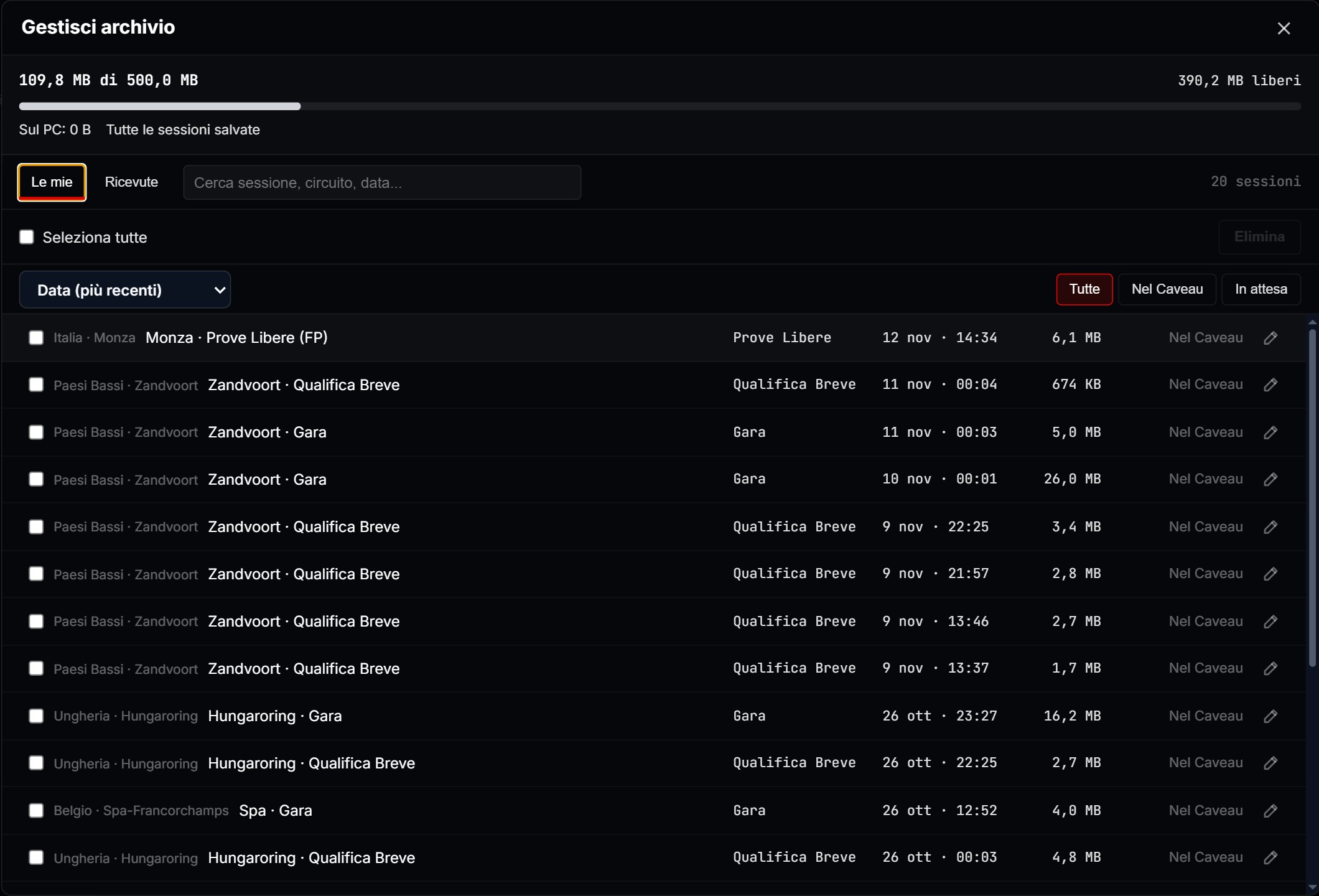
Caveau cloud is your cloud session archive linked to your account. Sessions enter on their own, never while you are on track. You find them on every computer with your account. «Manage archive» shows used and free space, the size of each session, and sorting by date, track, type or size. You get 500 MB free. The planned no-ads plan will raise this to 10 GB once it is available.
Everything you need to prepare your race, in a single app. And more is coming.