
F1 25 (2026 Season Pack) Live Timing and Session Standings
PitStatus transforms your secondary screen into a clean pit wall timing tower during live sessions. Track real-time interval gaps, sector times, tyre compound age, and active steward penalties across every competitor on track. You always know where you stand and when rivals enter their pit windows.
The problem
The in-game on-screen display provides restricted, fleeting information while driving. In practice and qualifying, you cannot easily tell whether rivals ahead are on flying laps, out laps, or aged tyres. During races, track positions get distorted by unpaid penalties and pit stops, leaving you blind to undercut threats and true race gaps until it is too late to react.
What you see
The live timing board delivers an instant, comprehensive view of the entire grid. Sectors highlight dynamically with personal bests in green and overall session bests in purple, resetting cleanly at the start-finish line.
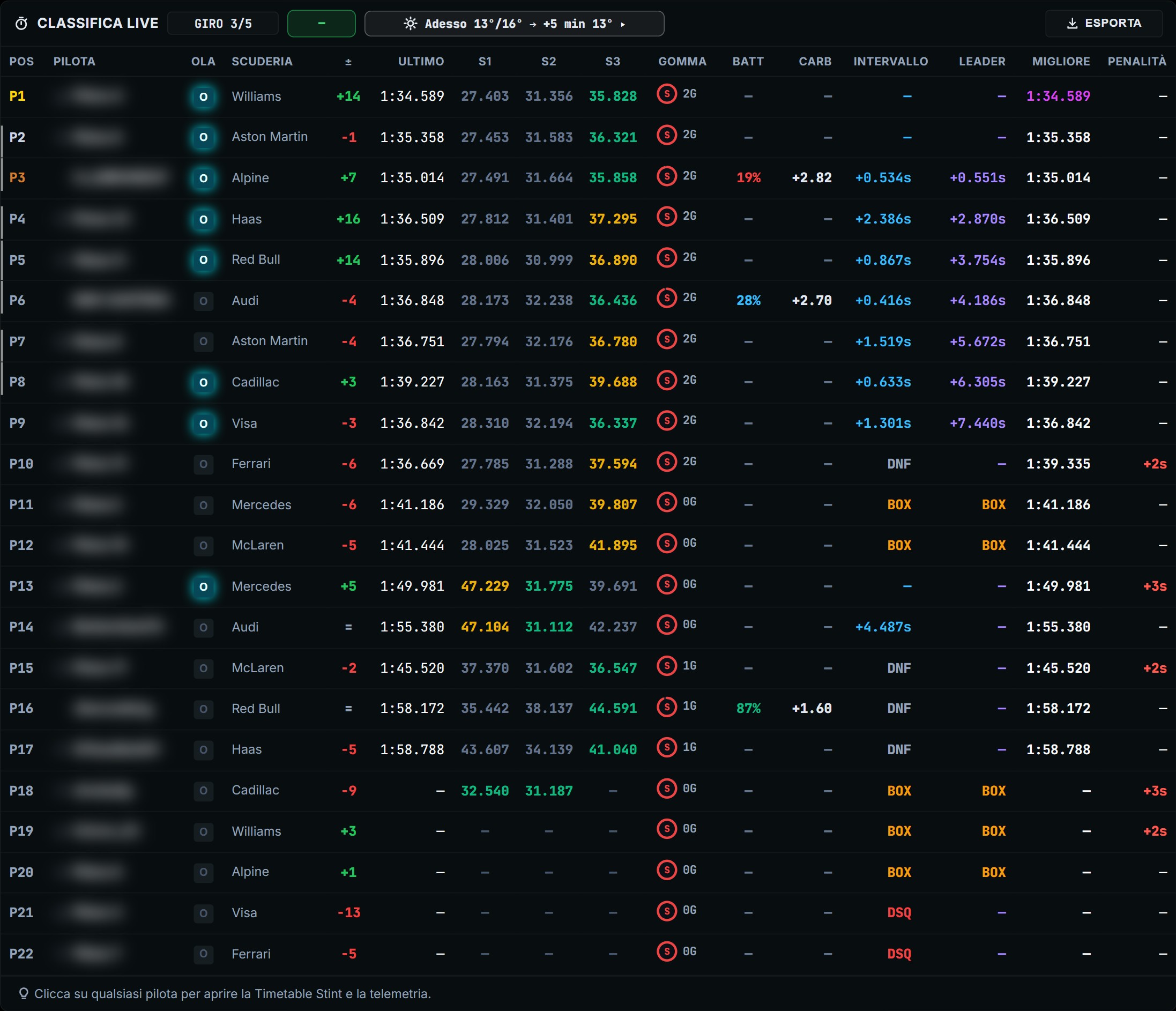
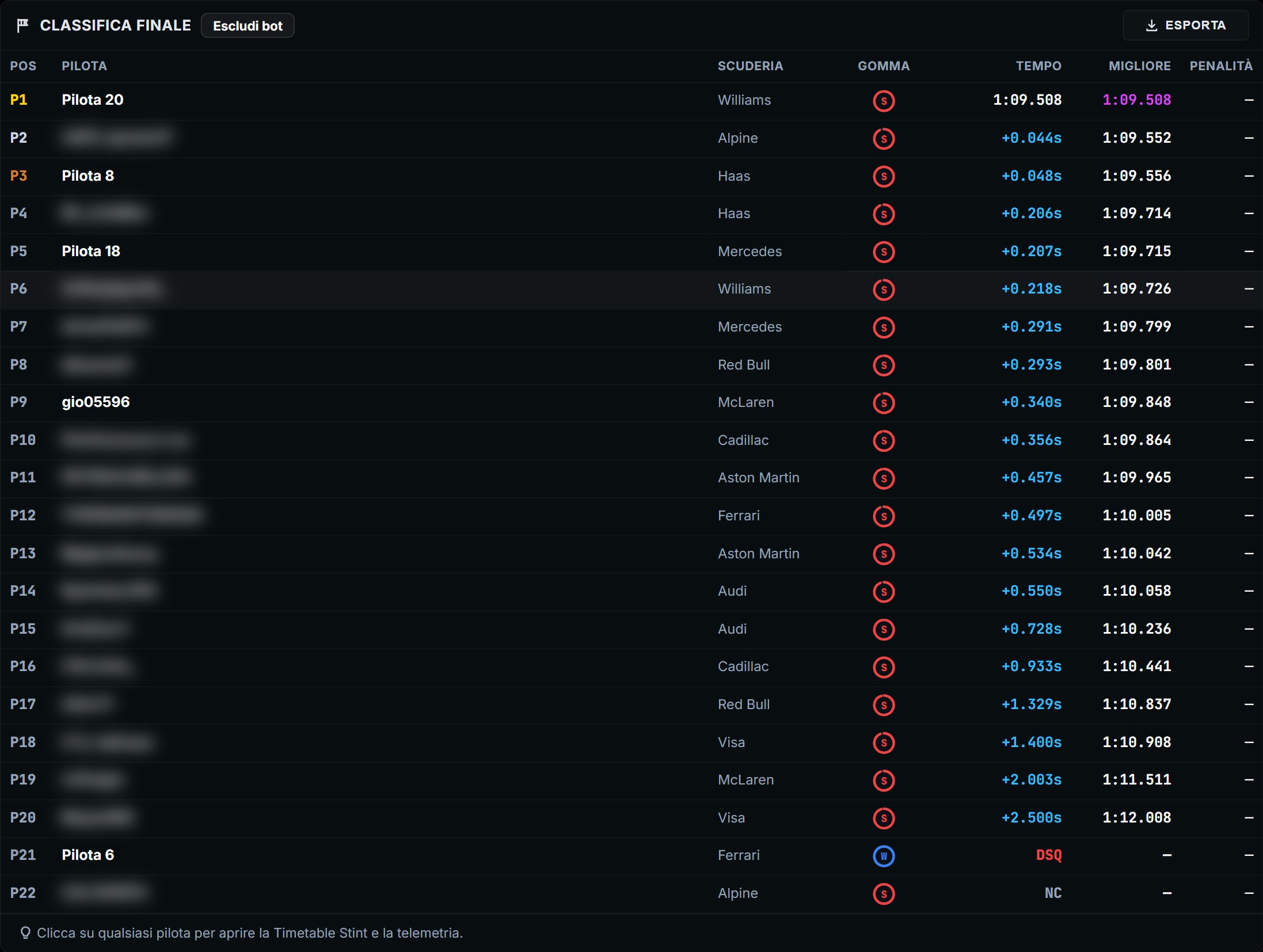
Each driver entry displays their current tyre compound badge with exact lap age, live interval gaps, in-pit status, and estimated remaining fuel margin. Steward penalties, including time additions and unserved stop-and-go penalties, update in real time on the timing tower. Once the chequered flag drops, the final classification calculates official standings with penalties applied, properly sorting drivers and displaying lapped cars with their lap deficits. You can also export the final standings table to clean CSV files or high-resolution summary images.
How to use it in a race weekend
- Position PitStatus on a second display or a laptop next to your sim rig.
- In qualifying, check tyre age and out-lap flags on rivals before releasing your car from the garage into clean air.
- During the race, track the interval gap to cars behind to protect against undercut attempts before your pit window.
- Monitor penalty warnings and time additions accumulated by cars in your immediate battle to manage risk.
- Review the post-race strategy recap to examine how stint lengths and compound choices decided the final finishing order.
Related
Configure UDP data forwarding from your PC or console in setup instructions or evaluate tyre life trends in stint analysis.